Looking for the right AI agent to help simplify everyday work? The Agent Store in Microsoft 365 Copilot brings AI agents together in one place so you can automate tasks, create faster, and get more done. Watch this short video to see how the Agent Store works and how to start using it.
Author: Blog Poster
Ford builds trust across global operations with Microsoft Defender | Microsoft Customer Stories
How a global automaker detects threats faster and governs data better. As cybersecurity threats grew across its worldwide operations, Ford moved to a modern, scalable approach using Microsoft Defender, Microsoft Sentinel, and Microsoft Purview. The result: More visibility into its hybrid environment, automated threat response, and stronger data governance. Read the story to learn from Ford’s experience improving threat detection, incident response, and data protection across the enterprise.
From draft to done: agentic Copilot in Excel, Word, and PowerPoint | Microsoft Community Hub
From draft to done, without leaving the file. The Microsoft blog post shows how agentic Microsoft 365 Copilot takes multi-step actions inside the apps your business users already work in. Read the blog post to see what A Systems Integrator can bring to your everyday work.
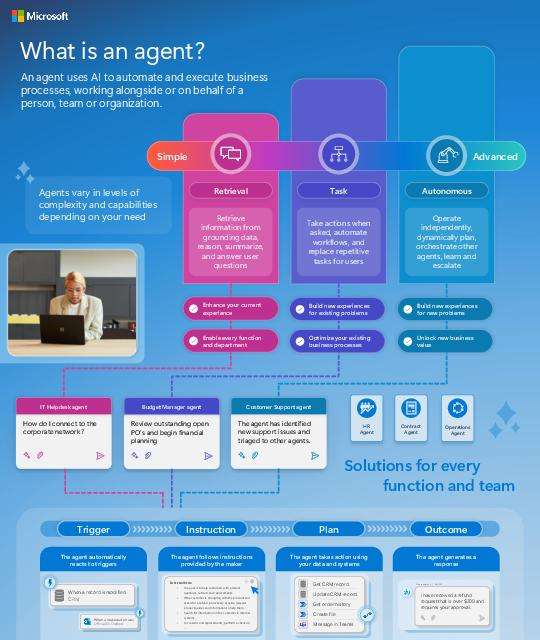
What is an agent?
AI agents can automate tasks and execute business processes on behalf of individuals or teams. They respond to triggers, connect to business data, and produce outcomes such as updates or customer responses. View this infographic to see how agents work and how organizations build them using Microsoft Copilot Studio.
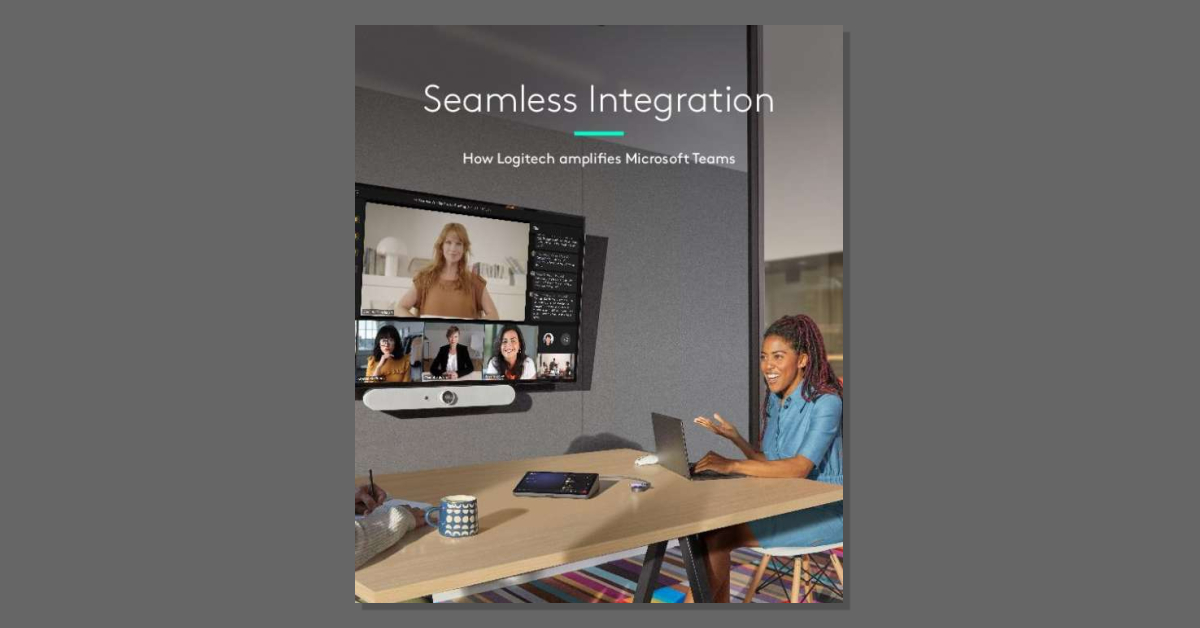
How Logitech Amplifies Microsoft Teams Whitepaper
How much of a Microsoft Teams meeting depends on what’s mounted on the wall? The whitepaper, “How Logitech Amplifies Microsoft Teams,” shows how certified Logitech hardware supports meeting equity, content sharing, hybrid work, room booking, and device analytics through Logitech Sync. For a clearer picture of what fits your rooms and remote workspaces, download the whitepaper by completing the form.
St. Luke’s saves nearly 200 hours monthly with AI-powered Security Copilot agents | Microsoft Customer Stories
What does unified security visibility change? St. Luke’s University Health Network needed a real-time view across multiple platforms to disrupt attacks earlier in the chain. This customer story shows how Security Copilot in Microsoft Defender delivered an AI-powered, agentic view of alerts, access controls, and vulnerabilities, saving nearly 200 hours monthly in phishing triage. Read the story to learn from St. Luke’s experience, then talk with A Systems Integrator about applying Security Copilot in your environment.

Windows 10 support has ended
When an operating system reaches the end of support, the risk doesn’t stay theoretical for long. This infographic outlines what Windows 10 end of support means for organizations still running legacy devices and why many are moving to Windows 11 Pro for stronger security, modern management, and support for hybrid work. View the infographic to understand the risks and considerations.
Video collaboration for all people in all Microsoft Teams spaces_Video_2026
What does the right Microsoft Teams setup look like in a huddle room, a large conference room, and a home office? This video walks through the Logitech portfolio certified for Microsoft Teams, including Rally Bar video bars for shared spaces and webcams, headsets, and docks for home desks. Watch it to see which Logitech solutions fit the spaces you support, then contact us to plan a rollout across your rooms and desks.
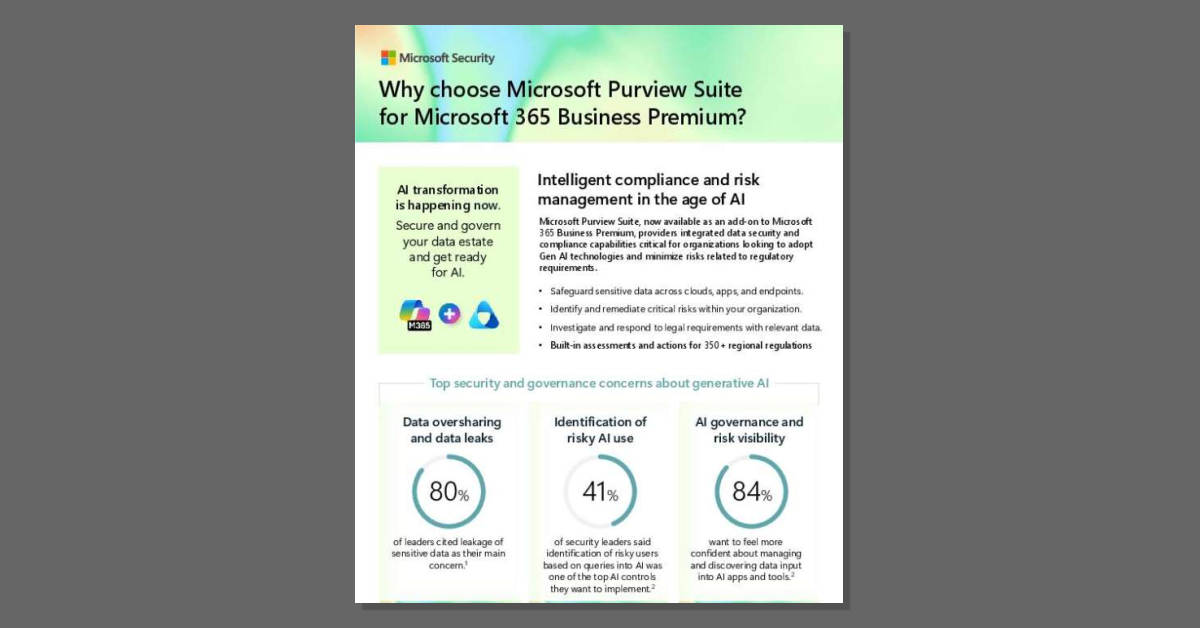
Why choose Microsoft Purview Suite for Microsoft 365 Business Premium
Secure and govern your data estate before you scale AI. This one-pager shows how Microsoft Purview Suite, an add-on to Microsoft 365 Business Premium, gives your organization visibility into overshared content, alerts on risky AI use, and built-in assessments for 350+ regional regulations. Read the one-pager to see what unified data security and compliance covers.
View: Why choose Microsoft Purview Suite for Microsoft 365 Business Premium
What are Microsoft 365 Copilot agents and how to use them | Microsoft
Bring AI automation into the flow of everyday work with Microsoft 365 agents. In this short video, you’ll see what Microsoft 365 agents are and how they help retrieve information, automate tasks, and support business processes across your organization. Watch it to see what Microsoft 365 agents are and how they help streamline everyday work.